Recurring scrims (presets)
If you run the same scrim every evening, don't create it every evening. A preset is a recurring schedule: describe the scrim once, and Finalist creates each instance for you, ahead of time.
They live with your scrims, under Series. You can also start one straight from the scrim
form: flip Repeat to Daily or Weekly and you're building a schedule rather than a one-off.
From Discord, /host presets opens them.
What a preset holds
Everything a generated scrim needs, in four parts.
Game. The game and mode every instance is created for.
Basics. A name and description. Instances are named after the preset and their date, like Testing — 2026-07-13 18:00 IST.
Cadence. When the scrims run:
| Setting | Meaning |
|---|---|
| Recurrence | Daily, or weekly on the days you pick |
| Timezone | The preset's own timezone. Every start time is read in it, so daylight-saving shifts don't drag your scrim an hour |
| Scrim start time | Time of day, e.g. 6:00 PM |
| Scrim duration | In minutes. Sets each instance's end time |
| Registration opens / closes | Minutes before start, not clock times — 360 and 30 means registration runs from six hours before until half an hour before |
| Map rotation | Manual, random or round-robin |
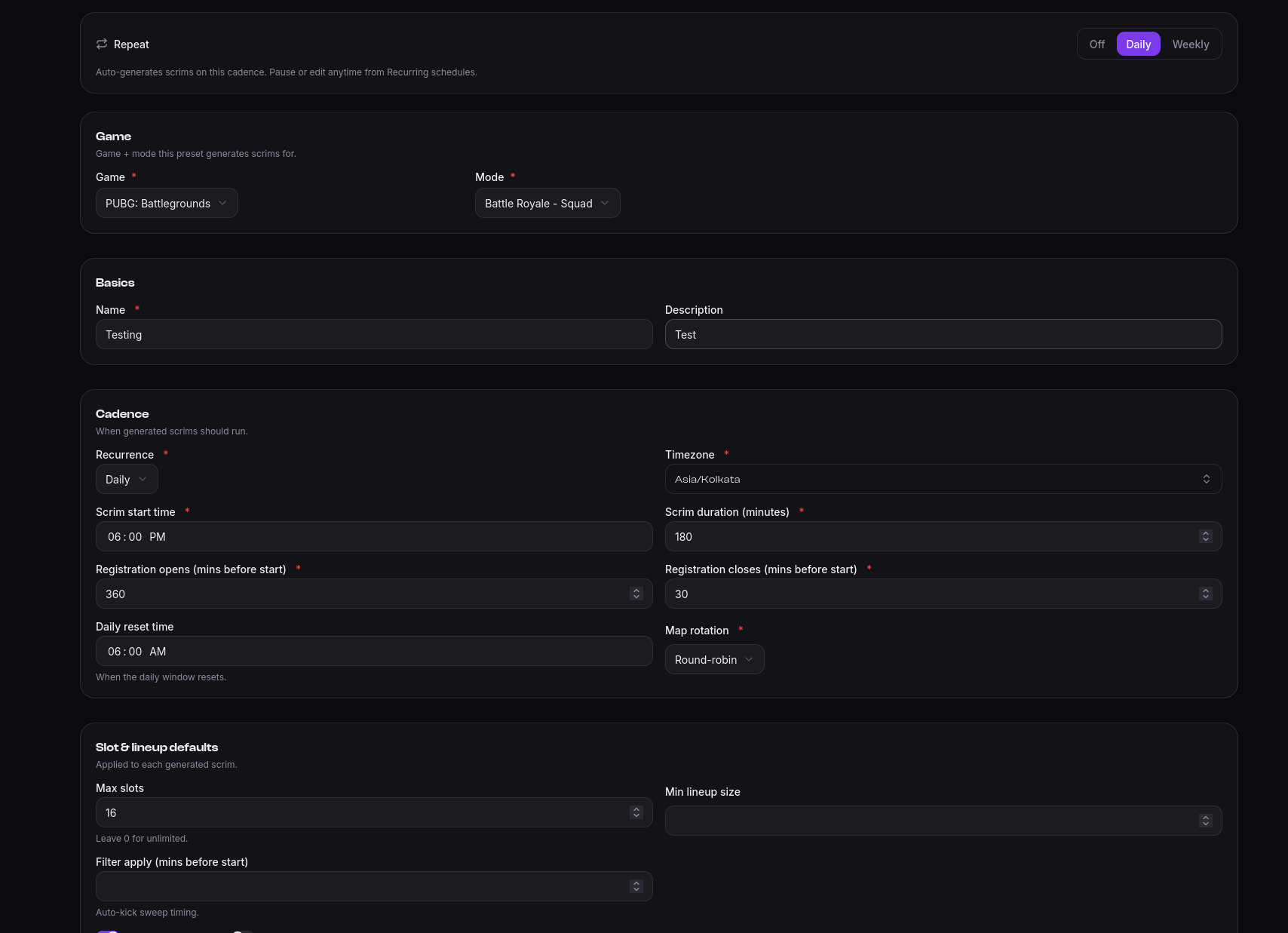
Registration windows being relative is the point: you set them once, and they follow every instance to wherever its start time lands.
Slot and lineup defaults, applied to each generated scrim: max slots (0 for unlimited), minimum lineup size, and the filter's auto-kick timing. These are the same settings a one-off scrim has, so anything you can do to a single scrim, a preset can do to all of them.
Generated scrims
Finalist looks seven days ahead and materializes upcoming instances as ordinary public scrims. From then on they behave exactly like a scrim you created by hand: you can edit any single instance, or cancel it, without touching the schedule.
The schedule's page lists everything it has produced, under Occurrences.
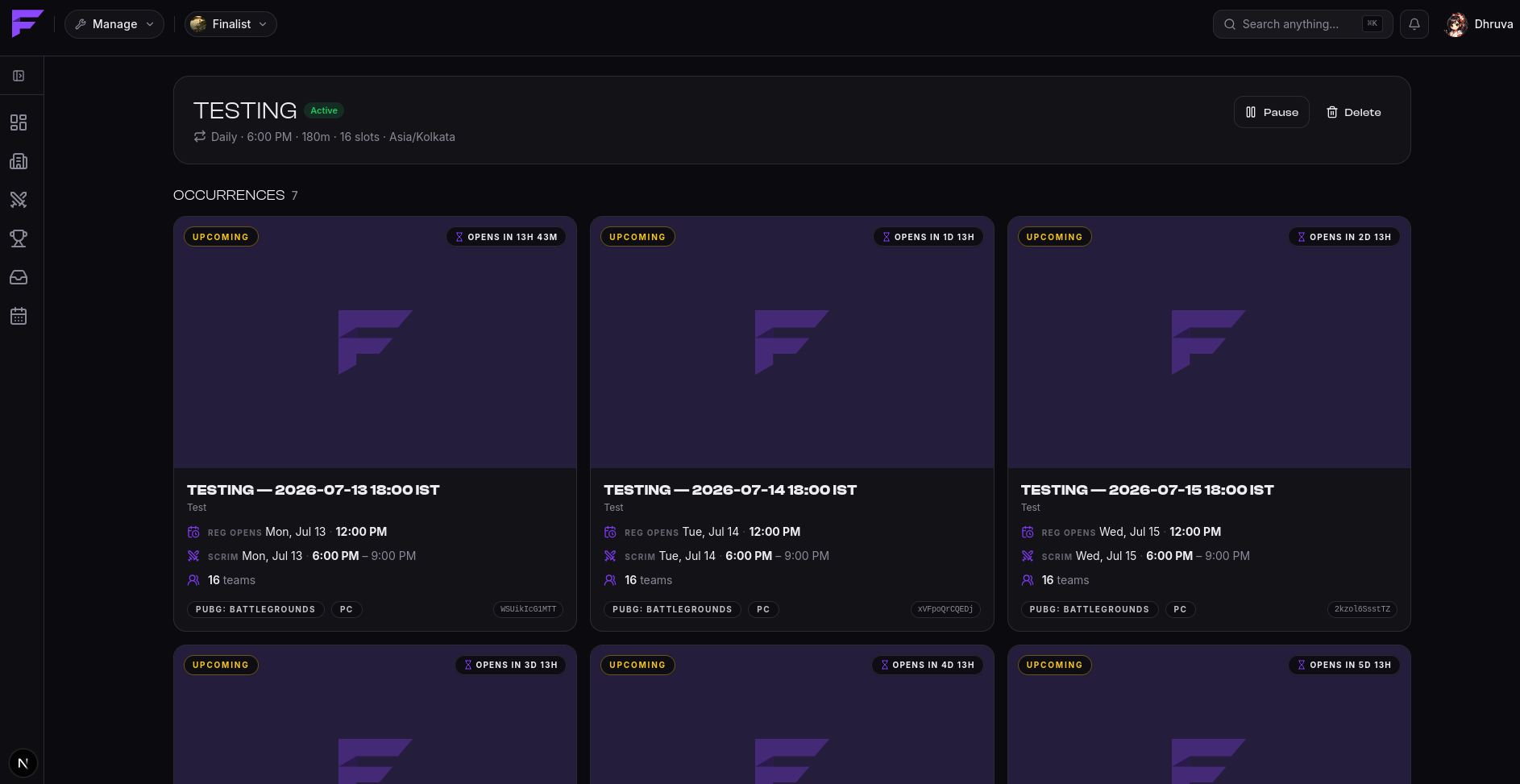
Instances are created once. Re-running the scheduler never duplicates them.
Pausing and deleting
A preset is active, paused, or cancelled. Only active presets generate scrims.
Pause stops the next instances appearing without losing the configuration, which is the right move for a seasonal break. Resume starts it again. Either way, scrims that were already generated stay exactly where they are — pausing does not delete them.
Delete removes the schedule and keeps its existing scrims too. Teams registered for a generated scrim never lose it because you tidied up a schedule.