Room details
Room details are the lobby credentials you hand to the teams that are actually playing: room ID, password, and anything else you add. They are stored as simple key/value pairs, and any pair can be marked secret.
The whole point is controlled release. Finalist shows them only to the captain of a team holding a slot, and only once you publish.
Write them
On the scrim's Room details tab, add the fields you need. The common ones are one click away (Room ID, Password, Server / Region, Lobby name, Map, Start time, Slot number, Stream link), and Add custom field covers anything else. Drag them to reorder.
The eye icon on a field marks it secret, so it stays masked until a captain chooses to reveal it. Password is secret by default.
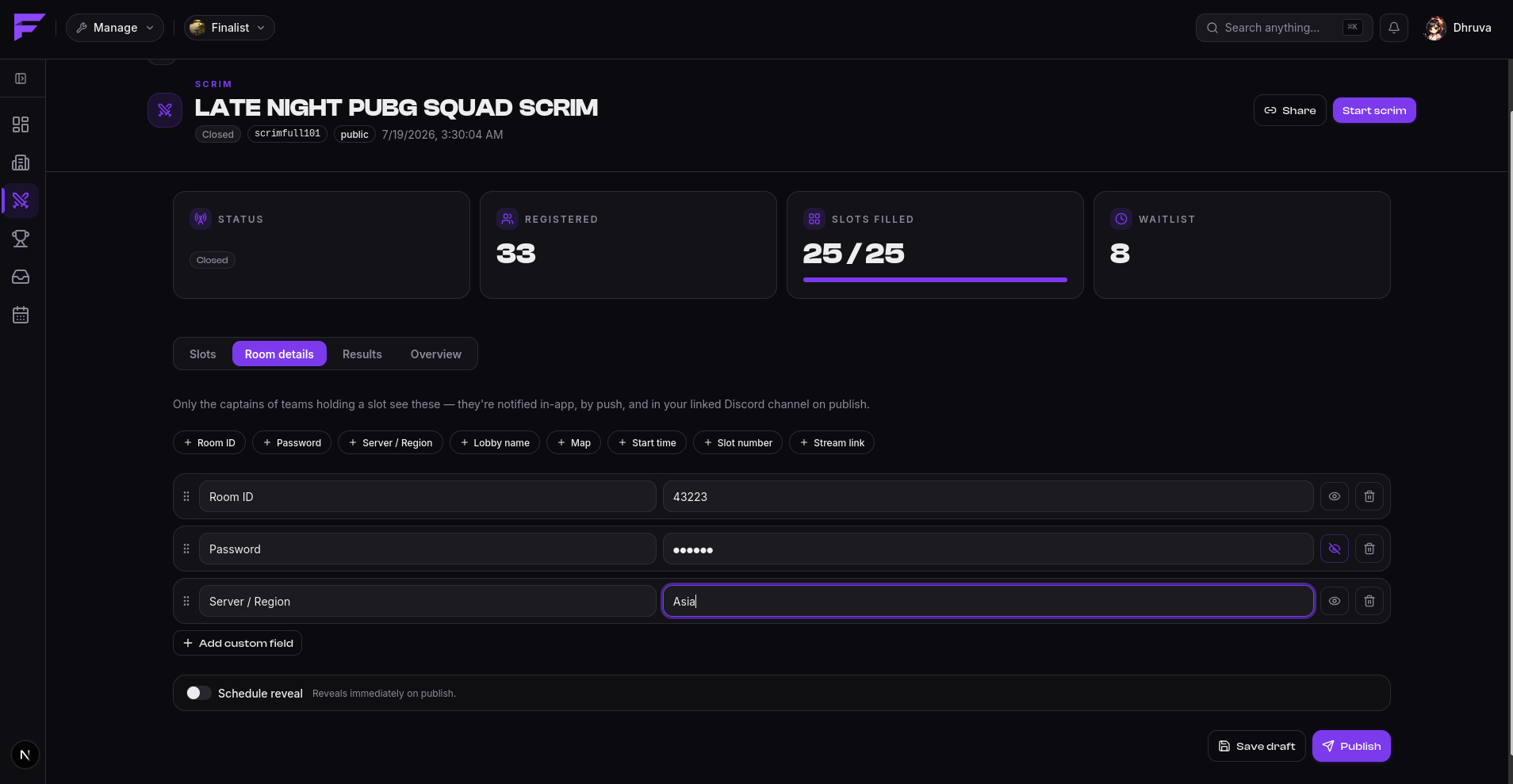
Save draft is not publishing. You can prepare the whole lobby well in advance and nobody sees a thing.
Publish them
Publish hands the details to slotted captains. Two modes:
- Immediately, which is what happens by default.
- On a schedule, by turning on Schedule reveal and picking the moment. Typically a few minutes before start, so the lobby isn't sitting open waiting to be crashed.
Once published, the tab says so, and the button becomes Notify again. Edits you make afterwards are saved but don't re-notify anybody until you press it, so fixing a typo doesn't ping thirty captains.
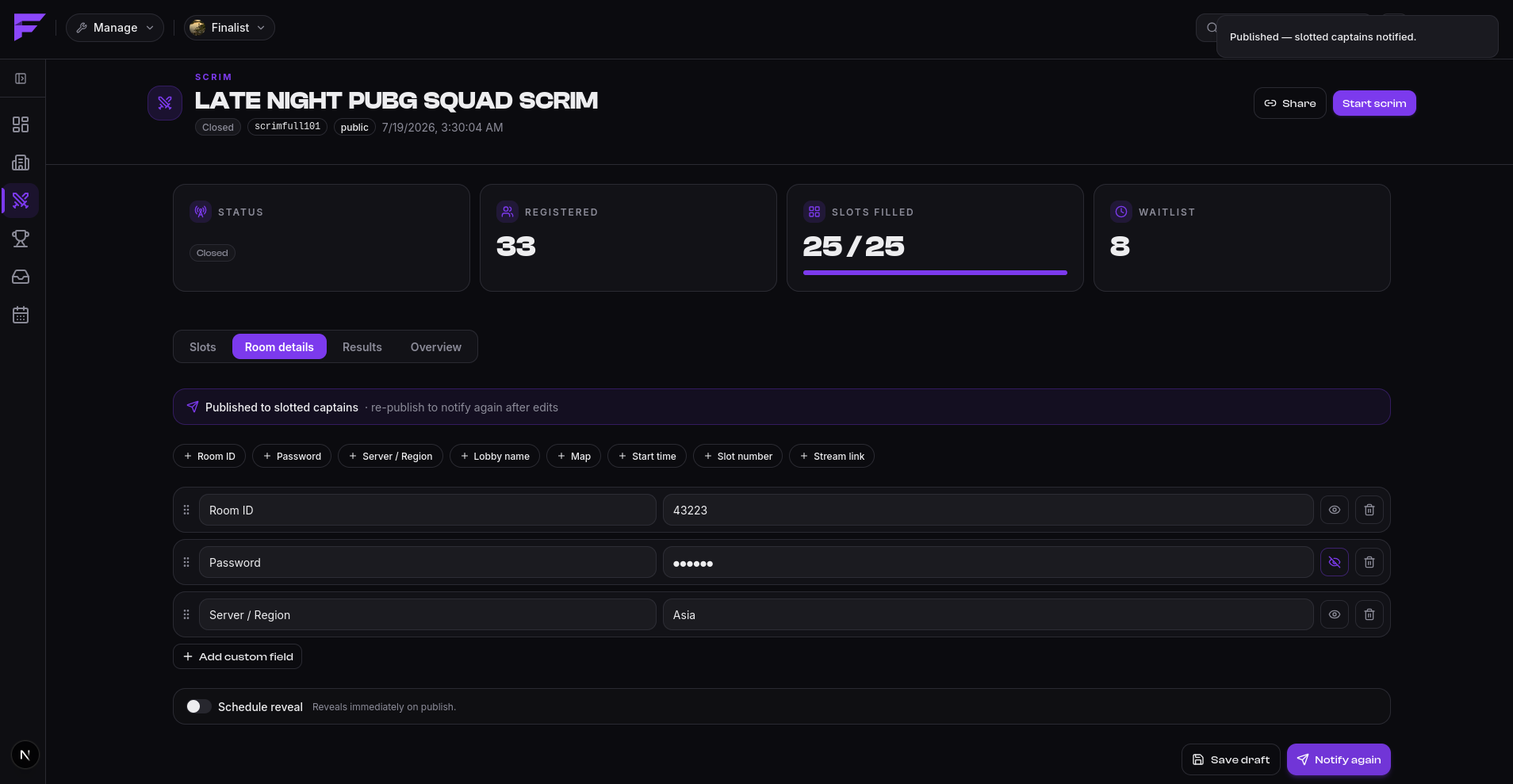
On reveal, slotted captains are notified in-app, by push, and by Discord DM.
In Discord
If the organization has a bound channel, Finalist posts an announcement there with a Reveal room details button:
🎟️ Room details are live — your scrim
Anyone can click it. Only slotted captains get anything back. Everyone else is told:
🔒 Only captains of a team in the slotlist can view the room details.
Clicking before reveal time says to check back closer to start. Clicking with an unlinked
Discord account prompts /link first.
Authorization is checked server-side on every click, so the button is safe to leave in a public channel. The credentials themselves are only ever shown privately to the person who clicked.